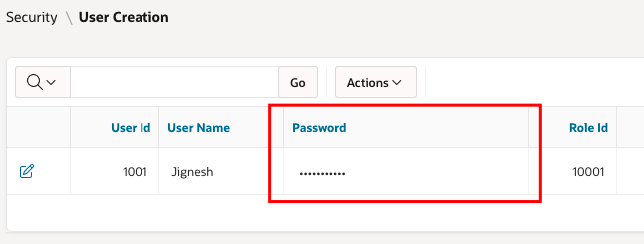
display password column with asterisk on Interactive/Classic Report on APEX
1) Create Query
select USER_ID,
USER_NAME,
'<input type="password" value="'||PASSWORD||'" readonly="readonly"/>' PASSWORD
from USERS_TBL
from USERS_TBL

2) Go to IR Region and Select the PASSWORD column property--Switch off( Escape special characters)

3) Go to CSS - inline
input[type=password]{
-webkit-transition: all 0.30s ease-in-out;
-moz-transition: all 0.30s ease-in-out;
-ms-transition: all 0.30s ease-in-out;
-o-transition: all 0.30s ease-in-out;
outline: none;
padding: 3px 0px 3px 3px;
margin: 5px 1px 3px 0px;
border: 0px solid #DDDDDD;
}

Out Put


Comments
Post a Comment